The rise of AI has made powerful productivity tools accessible to almost anyone. Tasks that once required expensive software can now be done with free AI tools.
These free AI productivity tools are no longer just simple demos. Many now support real work across writing, research, coding, design, and automation.
What makes today’s tools stand out is not just that they are free. It is that many of them now offer quality that rivals paid tools from recent years. AI companies are offering stronger free tiers to attract users early. For users, that means more useful tools without any upfront cost.
This also makes it possible to build a complete AI productivity stack for free. You can combine multiple tools to support different parts of your workflow.
In this article, we’ll look at some of the best and latest AI productivity tools available. Each one can help improve productivity and make daily work more efficient.
AI tools aren’t just shiny tech toys; they actually transform the way we work. Imagine having a smart assistant that never sleeps, never forgets, and can instantly help with writing, research, analysis, or creative work.
That’s exactly what AI tools bring to the table: a way to work faster, smarter, and with less friction. Here’s a deeper look at how they do it:
Many tasks take up a huge chunk of your day but don’t require creative thinking—things like updating spreadsheets, sending follow-ups, routing emails, or copying data between apps.
AI tools can:
Result: Less busywork, fewer errors, and more time to focus on work that truly matters. Think of it as having a robot assistant handling the grunt work.
AI tools can help generate text, summarize information, and brainstorm ideas. This means creating emails, reports, or presentations can happen much faster, while maintaining quality and consistency.
Result: What once took hours now takes minutes, giving teams the bandwidth to focus on strategy and creativity.
AI can analyze data and provide actionable insights in real time. It helps prioritize tasks, highlight urgent issues, and identify opportunities that might otherwise be overlooked.
Result: Faster, more accurate decisions and a data-driven approach to daily work.
AI can automatically organize notes, documents, and project information, making it easier to retrieve and use. It can summarize long reports, track important details, and maintain structured knowledge across teams.
Result: No more time wasted digging through files or emails, AI acts as a smart knowledge librarian.
Time management is a constant challenge. AI can automatically schedule tasks, prioritize your workload, and adjust your day as new events or deadlines arise.
Result: You spend less time planning and more time doing meaningful work, boosting efficiency and reducing stress.
Now that we’ve explored how AI can supercharge productivity, it’s time to put theory into practice. Let’s dive into a carefully curated list of the best AI tools available today.
The AI landscape has exploded over the past few years, bringing tools that can supercharge productivity, automate repetitive tasks, and unlock creativity like never before. Whether you’re a solo creator, a growing startup, or a large enterprise, the right AI productivity tools can save hours of work, reduce errors, and help your team focus on high-value tasks.
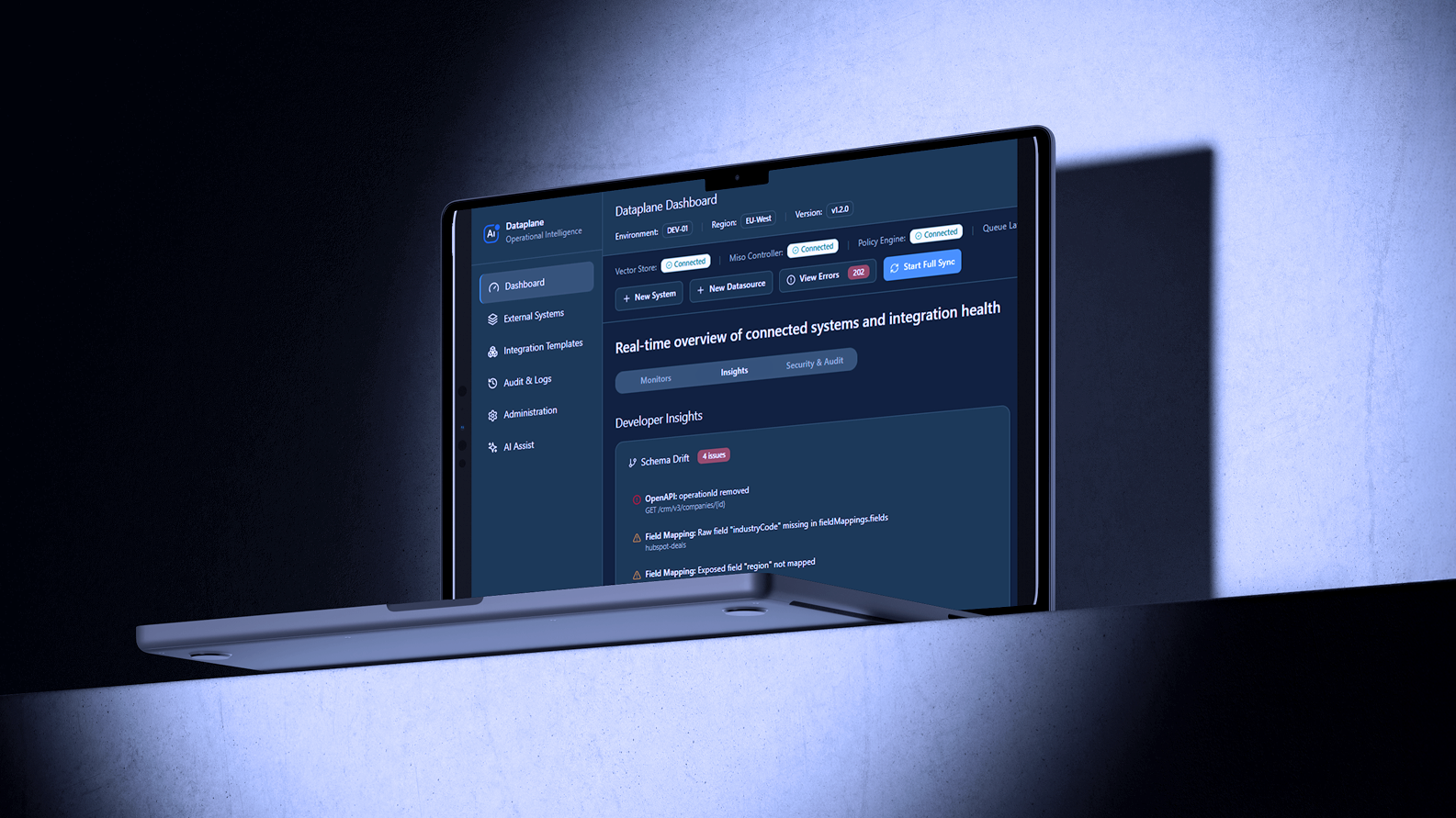
AI Fabrix is a full-scale AI productivity platform designed for enterprises, combining intelligent writing, workflow automation, and context-aware assistance into a single hub.
Unlike basic AI tools, it doesn’t just generate content; it understands your organization, integrates with existing systems, and enhances operational efficiency across multiple departments.
From HR and IT to sales, marketing, and internal documentation, AI Fabrix is built to streamline workflows and supercharge productivity at scale.
Best For: Large teams and enterprises seeking centralized productivity solutions that reduce repetitive work and improve operational intelligence
Core Features & Use Cases:
Overview: Notion AI brings the power of AI directly into your workspace, helping you write, summarize, and organize content across notes, wikis, and project documentation.
Best For: Individuals and teams who want all-in-one knowledge management with AI support.
Key Features:
Why It Stands Out: Notion AI doesn’t just help you write; it keeps your team organized and productive by transforming scattered notes into actionable, structured information.
Use Cases: Summarizing long reports, creating SOPs, capturing meeting outcomes, generating internal documentation.
Zapier connects over 6,000 apps and automates repetitive tasks without writing a single line of code. It’s perfect for individuals or teams looking to streamline processes and reduce manual work.
Best For: App-based workflow automation.
Key Features:
Why It Stands Out: Zapier allows anyone to build powerful automations quickly, saving time and ensuring no task falls through the cracks.
Use Cases: Syncing leads from forms to CRM, updating spreadsheets automatically, and sending Slack notifications for new emails.
Make offers a visual approach to building complex workflows, letting you automate processes across multiple systems with ease.
Best For: Teams needing advanced multi-step automation.
Key Features:
Why It Stands Out: Make provides granular control over workflows, making it perfect for advanced users who need flexible and powerful automation.
Use Cases: Automating multi-department approval processes, data aggregation from multiple sources, syncing complex CRM workflows
Reclaim.ai is your personal AI scheduling assistant. It automatically schedules your priorities, blocks deep work time, and integrates with your existing calendar.
Best For: Individuals and teams looking to optimize calendar time.
Key Features:
Why It Stands Out: Reclaim.ai ensures you never overbook yourself and automatically manages priorities to maximize productive time.
Use Cases: Blocking time for focused work, scheduling recurring habits, managing personal and team priorities.
Motion AI organizes your tasks and projects automatically, prioritizing them based on deadlines and workload.
Best For: Project managers and teams who want intelligent scheduling.
Key Features:
Why It Stands Out: Motion acts like a personal AI project manager, keeping your day structured without manual effort.
Use Cases: Daily task planning, optimizing project timelines, managing personal or team priorities.
Overview: Magical helps you eliminate repetitive typing by expanding text snippets and filling forms automatically.
Best For: Customer service, frequent messaging, and data entry.
Key Features:
Why It Stands Out: Magical saves countless hours of typing, making it ideal for teams with high-volume communication tasks.
Use Cases: Customer support responses, internal communications, repetitive data entry
Choosing the right AI platform can have a direct impact on how efficiently your team works. The right tools help reduce manual work, improve speed, and make it easier to manage complex workflows.
As AI becomes a bigger part of everyday operations, platform choice matters more. A strong solution should not only improve productivity today, but also support how your business grows over time.
Boost productivity with AI Fabrix. Explore the platform and see how it can support your workflows with a secure, enterprise-ready foundation.
The value of AI comes from choosing the right tools for the right tasks. When used well, AI can reduce repetitive work, save time, and help people focus on higher-value work.
For individuals, teams, and enterprises, this is more than a productivity gain. It is a practical advantage in a faster and more competitive work environment.
AI is no longer a future concept. It is already changing how people write, create content, automate workflows, manage knowledge, and support daily operations.
Whether you are using AI for writing, automation, research, or creative work, the takeaway is simple. Use AI strategically, improve how you work today, and build an advantage that lasts over time.
AI productivity tools are software applications that use artificial intelligence to automate tasks, streamline workflows, generate content, and enhance efficiency, helping users work smarter and faster.
The top AI tools vary by category, but some widely recognized options include AI Fabrix, Claude, Microsoft Copilot, Google Gemini, and Notion AI.
They automate repetitive tasks, organize information, provide insights, and assist with creative work, freeing time for higher-value activities.
Many AI tools offer free tiers with meaningful capabilities, allowing users to try them without upfront cost before upgrading to premium plans.
Governed execution is the part most teams end up building twice. See how AI Fabrix gets one process into production in ten days.